What Is TheAlterMeAI: How To Get the Most Out Of It
May 20, 2026 · 12 min read
TheAlterMeAI is built for one problem: scaling your communication on social media without losing your voice.
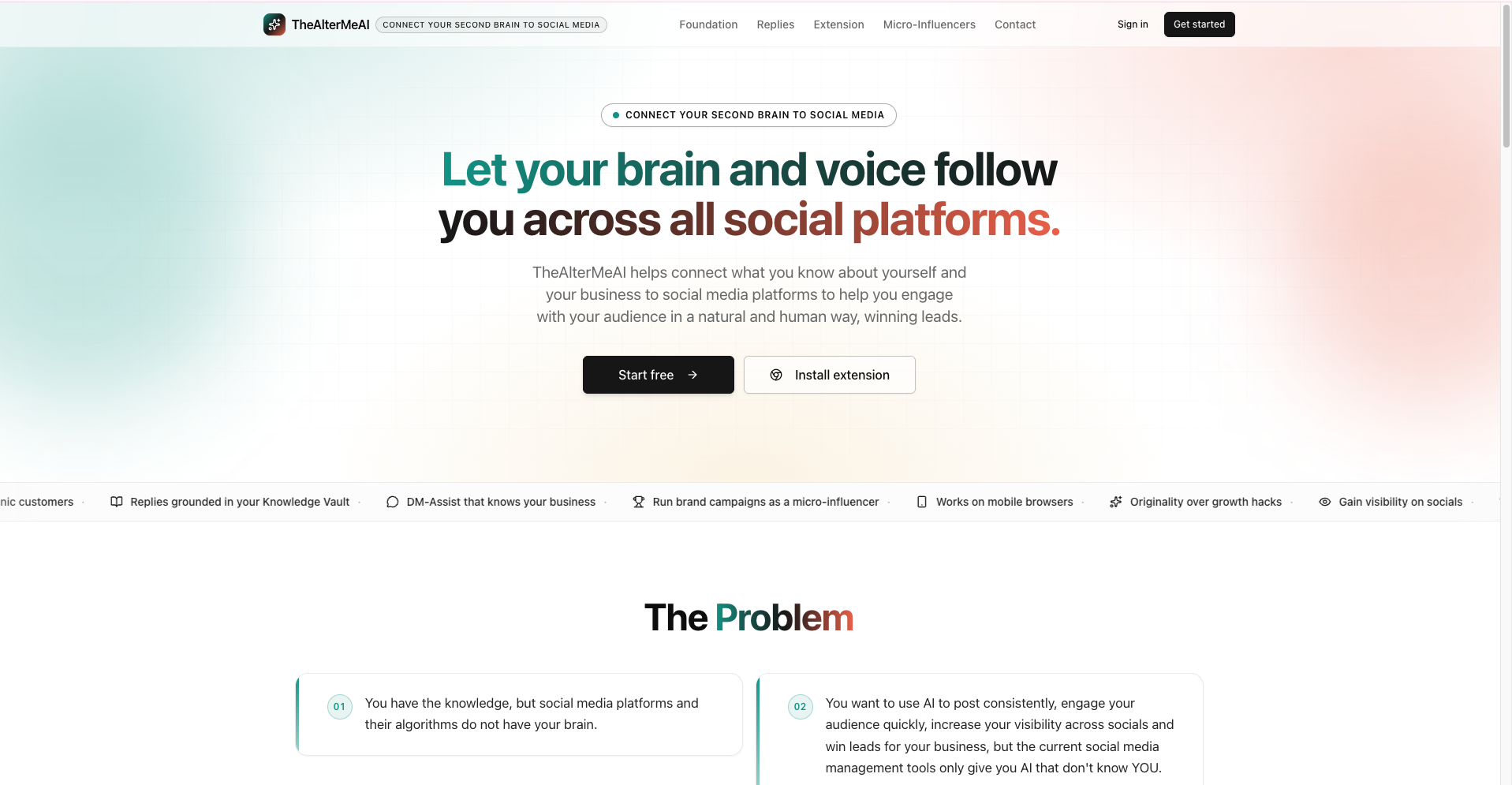
Most AI social media content creation and management tools hand you a template and call it done. We built something different, a system that learns your context, stores your knowledge, and drafts content that actually sounds like you. This is not automation for automation's sake. It is infrastructure for people who take their presence seriously.
This is for founders, creators, and social media managers who are tired of choosing between burnout and embarrassment. If you need consistent output on any social media platform (Twitter/X, LinkedIn, Facebook, Instagram, Threads, TikTok, YouTube, etc) but refuse to sound like a brochure, this is your tool.
If you have ever scrapped a post because it did not sound right, or gone quiet for two weeks because you ran out of bandwidth, you are exactly who we built this for.
TheAlterMeAI connects your second brain — your knowledge base and context — to all your social media platforms. The result is authentic AI output that enhances your visibility and helps you win leads, without sounding like it was written by a robot.
You still get all the standard social media management tools you are already used to: scheduling, content creation, social listening, and design. The difference is that ours knows who you are before it starts.
Step-by-step Guide: How To Get Started With TheAlterMeAI
Once you register and login to TheAlterMeAI's platform, you must pay attention to:
- Profiles (it holds accounts, descriptions, target audience, pain-points, categories)
- Knowledge Vault (it holds categories, topics, content)
- Social Vault (it holds content generation, scheduling)
- Extension (it holds instantaneous content generation and publishing, on the fly)
Step 1: Install the Chrome Extension
At this stage, you must have registered (which requires just your gmail account) and logged-in. Before anything else, install the TheAlterMeAI Chrome Extension on your browser, and you can do this by going to the Settings page on the website.
After installing the extension, you can confirm the installation by going to either Twitter/X or LinkedIn website, where you will notice our floating icon. Click on that icon and you will see a big modal on your device's screen; then click on the "Settings" tab on that modal and you will see where you can paste the "Browser extension API token" that will connect that extension to your account on our platform.
Now, you will need to create that "Browser extension API token", and you will find information about it on the Settings page on the website. Once you've generated that API token, copy it and go to the chrome extension and paste it there.
This is important to note that TheAlterMeAI has both a web-app (accessible via thealtermeai.com) and a browser extension that works inside your social media feeds (but it does not work on websites that are not part of the social media platforms we currently support).
Without the extension, you will be missing some of our important offers.
Step 2: Complete Your Launch Checklist
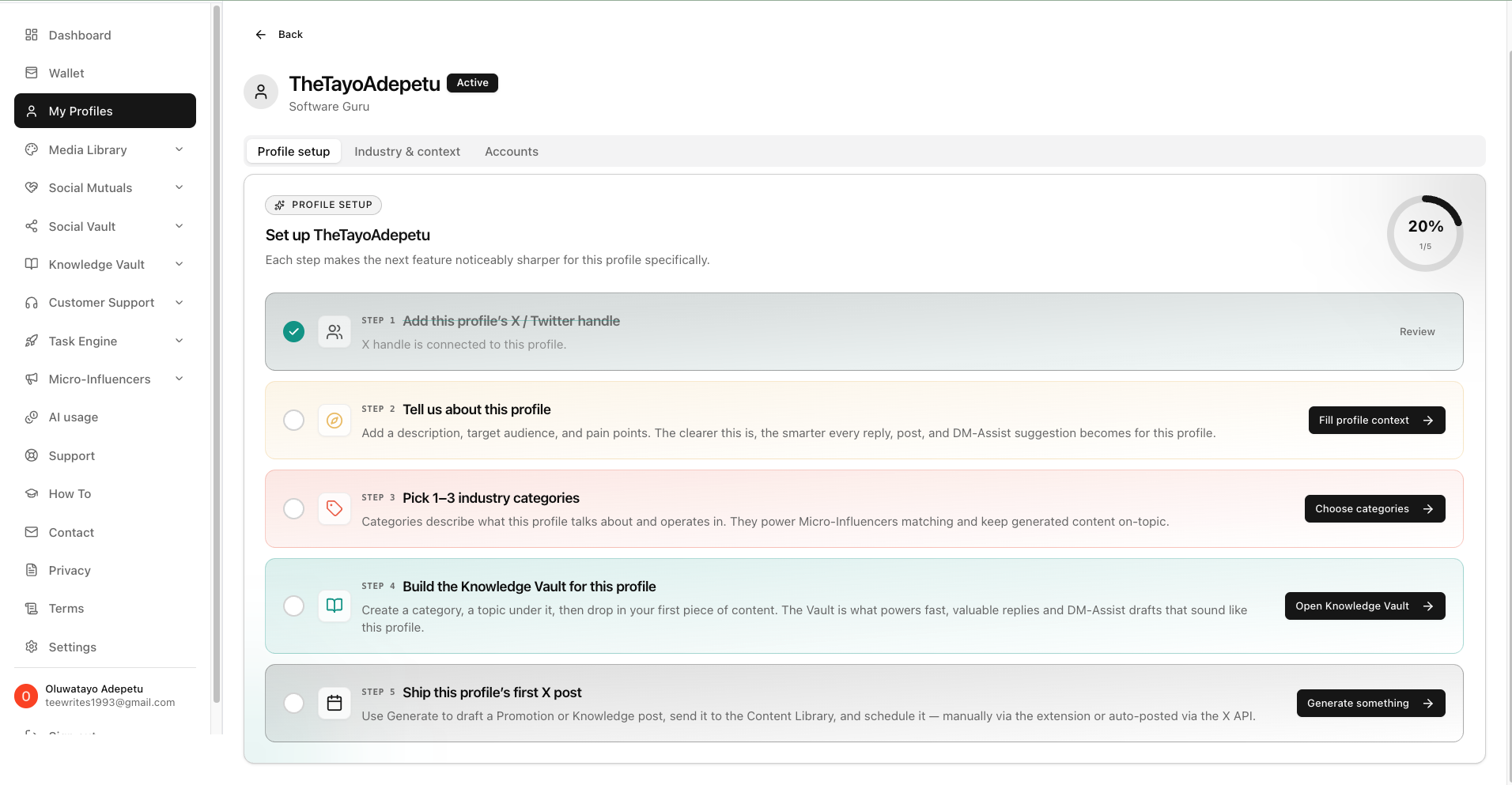
Once you're done with the extension, go back to the Dashboard page on the website and the first thing you will see there is your launch checklist. The checklist tells you the things you need to do before you unlock the full functionality of the platform and our tools.
Each step helps the AI understand you better; so the more carefully you complete it, the better your results will be. The checklist is not long, and it is designed to be straightforward.
Step 3: Create Your First Profile
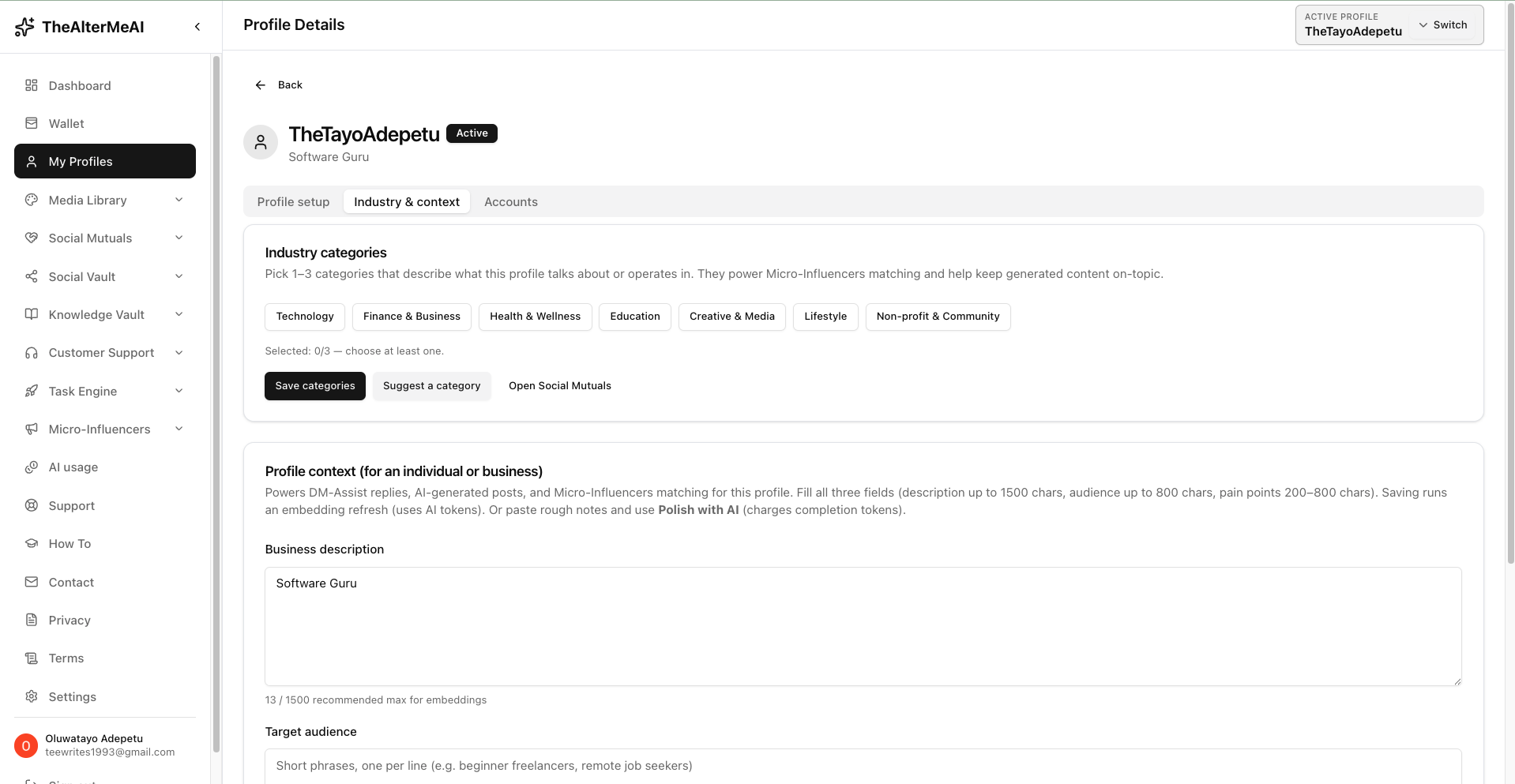
Your Profile is how TheAlterMeAI understands who you are and who you are speaking to, and it does not matter if you're a business or an individual.
You can create as many profiles as you need (remember, a profile can hold multiple social media handles/accounts across the platforms we support). For example:
- you can create a profile for your personal social media accounts
- then create another profile for your first startup,
- and then create another profile for your client's business, and so on.
Each profile operates independently and can be tailored to a specific voice or audience.
To set up a profile, you will:
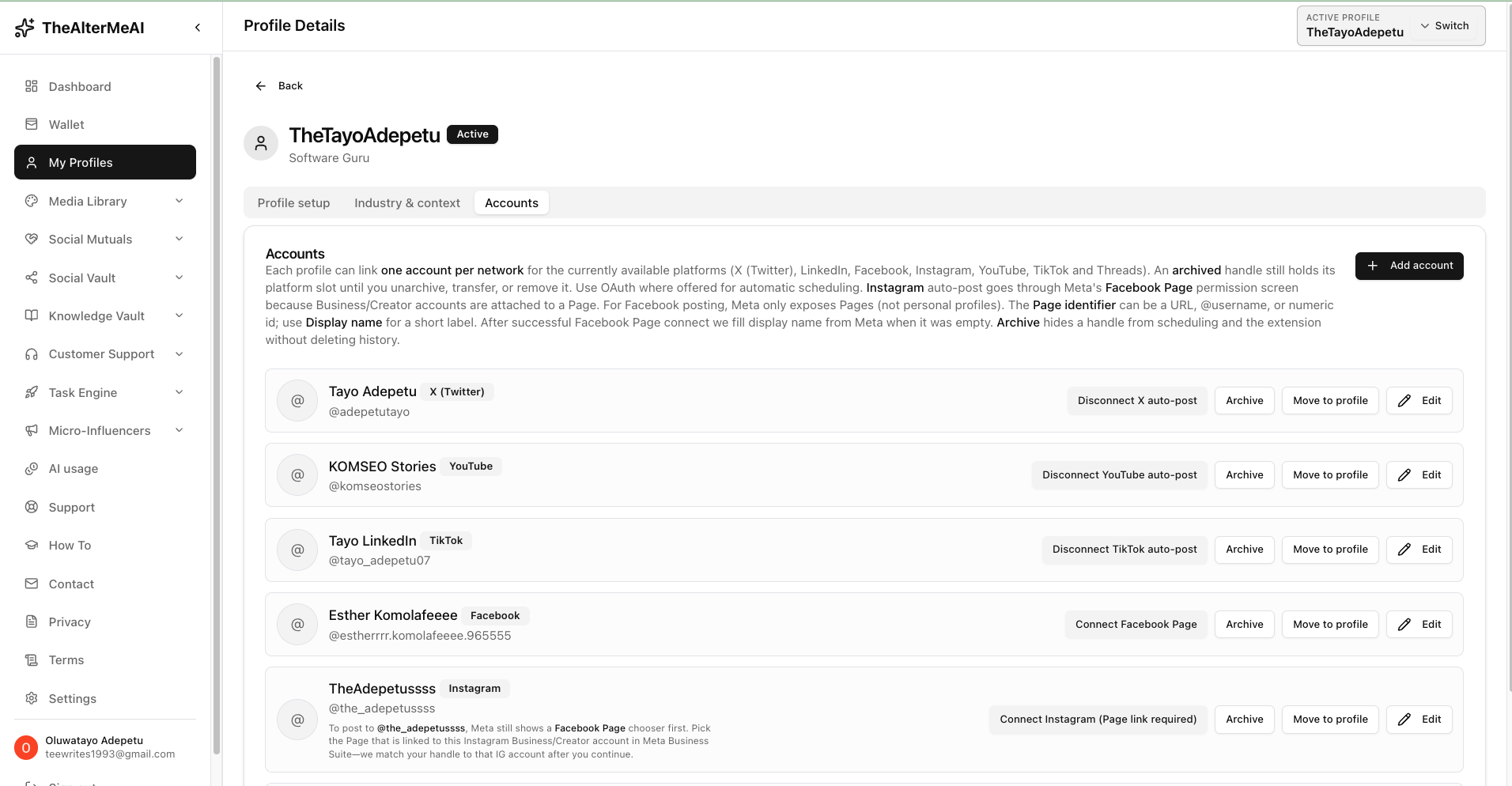
- Add a name and description for the profile
- Define your target audience and their pain-points
- Select one to five industry categories so the AI understands your niche and what you talk about on socials
- Connect your social media handle/account (any platform we support)
- Build out your first Knowledge Vault entry for that profile (covered in the next step)
The more specific your profile description, the more accurate and on-brand your generated content will be.
Step 4: Build Your Knowledge Vault
The Knowledge Vault is the core of what makes TheAlterMeAI different. This is where you store the knowledge, context, ideas, and perspectives that the AI draws from when generating content for you. It is your second brain, made accessible to AI.
Inside the Knowledge Vault, you organize content by categories and topics. To get started:
- Create a category that represents a broad theme or area you speak on
- Add a topic underneath that category
- Drop in your first piece of content. This could be a past post, a voice note transcript, an article you wrote or generated with an external AI tool, a framework you use, or anything that represents how you think/communicate or the product/services you're selling. It can even be a customer guideline, a promotional article about your product/service, a thought leadership content that you want your AI to always have access to and not lose its context, etc
Once your Knowledge Vault has content in it, every generation you run will be informed by your actual knowledge rather than generic AI output.
Step 5: Generate Content in the Social Vault
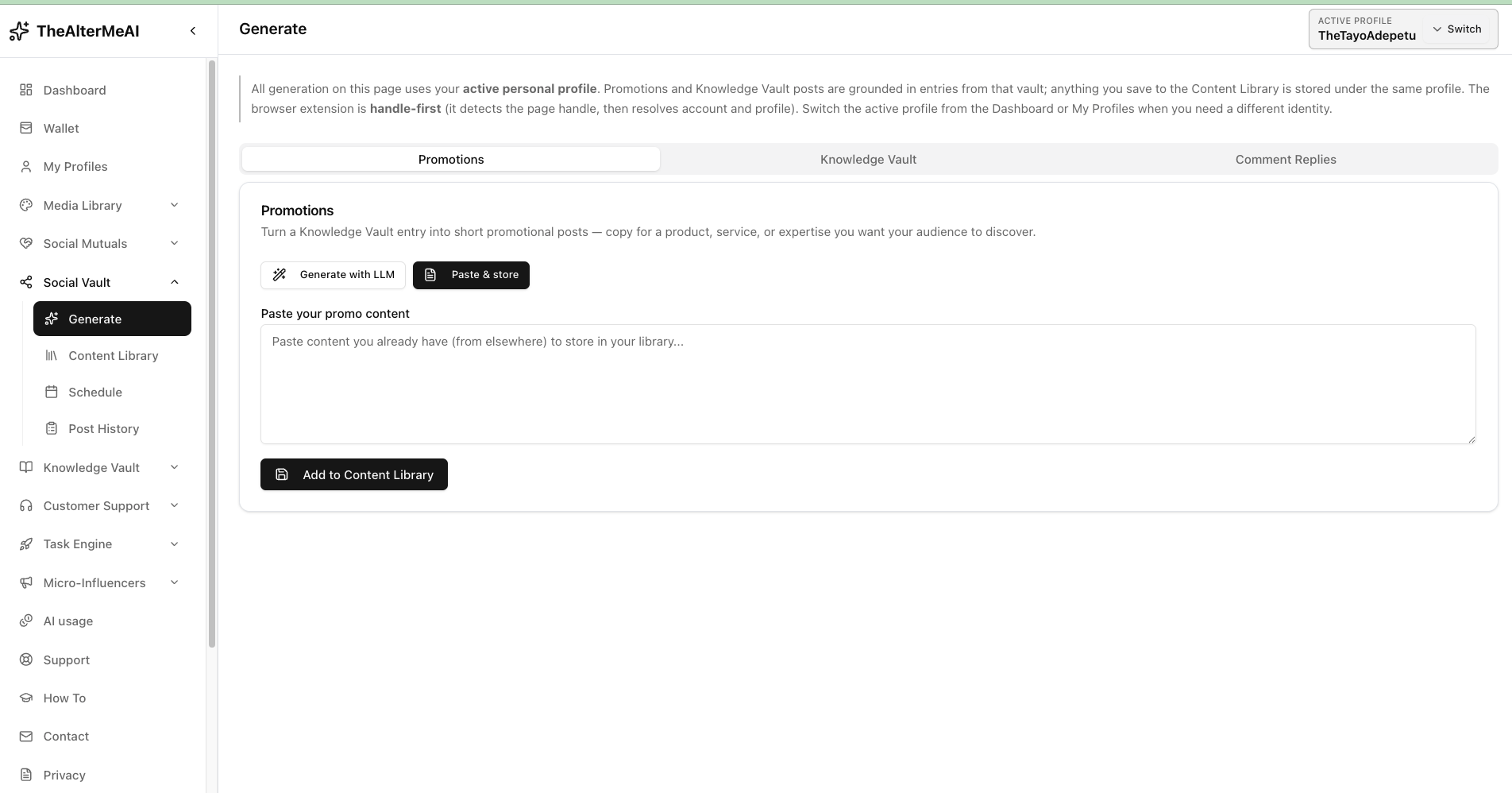
The Social Vault is where your Knowledge Vault becomes output. From here, you can select from the topics and contexts you have built and generate posts, threads, promotional content, replies, and more. The AI uses your profile and your vault (knowledgebase & context) to produce content that reflects your voice.
Once you are happy with what has been generated, you send it directly to your Content Library. Nothing gets published automatically without your review. Human judgment stays first class throughout the process.
Step 6: Schedule from Your Content Library
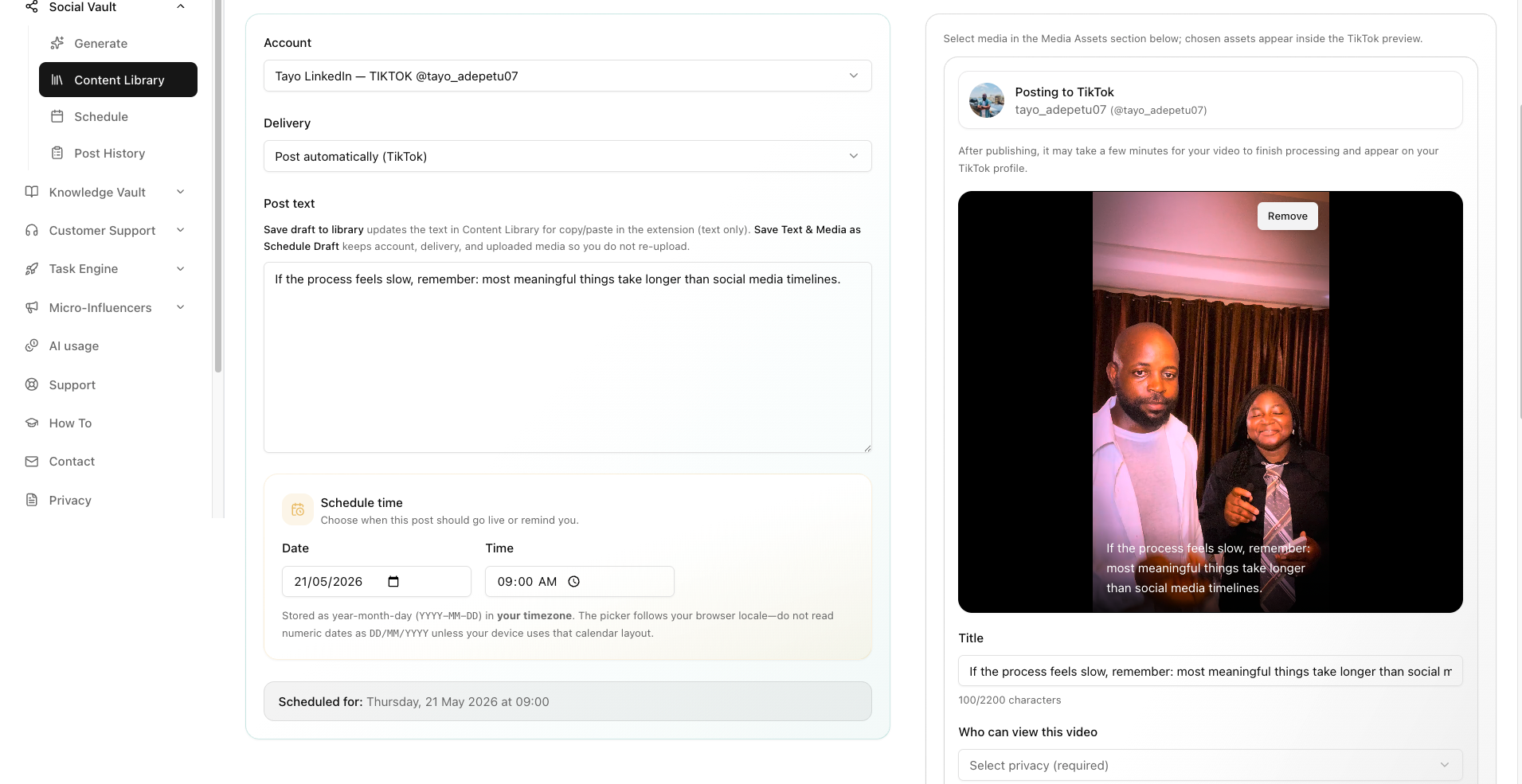
Your Content Library holds everything you have generated and approved. From here, you can:
- Review and edit any piece of content before it goes out
- Schedule posts directly from the library and add media assets
- Use the built-in calendar integration to plan your content across days and weeks
You do not need to be on the platform every day once your library is stocked and your schedule is set. The platform handles distribution while you focus on other things.
Step 7: Fund Your Wallet
To use the AI generation features (but you don't even need to use our AI to generate content at all for most parts; you can use free tools like ChatGPT), you will need tokens. TheAlterMeAI uses a token system that you can top-up directly from the platform. Here is how it works:
- Go to the Wallet section of your dashboard
- Click Deposit and enter the amount you want to load
- Complete payment through Flutterwave, which is the platform's integrated payment partner
- Your tokens are credited instantly and available for use across your workspaces
Tokens are consumed each time you run a generation, and fees are removed from your wallet each time you schedule a post (the cheapest in the industry). You can track your usage from the AI usage dashboard inside the app.
Step 8: Use the Extension Inside Your Feed
Once your profiles and vault are set up, the extension becomes your most powerful tool. Instead of leaving your social media feed to go generate content, the extension lets you access TheAlterMeAI directly inside X, LinkedIn, or wherever you are active.
You can pull from your Knowledge Vault, generate a reply or post, and send it to your library without ever leaving the feed. This is what reduces friction and makes consistency actually achievable.
If you're a business, you also have access to our DM-Assist feature via the extension, which helps you generate instant replies to your potential leads in a natural and contextual way without sounding salesy at all. This means the extension also works in your DM chats across all social media platforms that we support.
Getting Support
If you run into anything or need help, support is built directly into the platform. You can:
- Log a support ticket from the Support section of your dashboard
- Browse the How To section, which is where this blog and all platform walkthroughs are published
- Email the team directly at [email protected]
You will also find a Contact section on your dashboard if you prefer to reach out that way. Honest onboarding matters to us, and the team is reachable.
Let's Get Started
Head to thealtermeai.com and sign up or sign in. Install the extension on the Settings page, complete your launch checklist, and build your first Knowledge Vault entry.